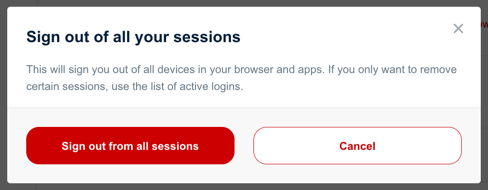
There may be times when you log in to your account on a public or shared coThere may be situations where you sign in to your account on someone else’s computer or mobile device and do not have time—or simply forget—to sign out. In such cases, there is no need to worry. Simply sign in to your account again from any device and revoke the unwanted sign-in sessions. If you are unsure which session is the correct one, you can revoke all active sign-in sessions. Revoking an active session will sign you out on the corresponding device or application.
Sign in to your account.
Go to the Account Security tab and navigate to the Active sign-ins section.
Here you will find a list of recorded browser sign-ins and signed-in applications.
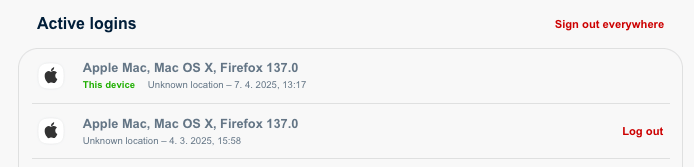
To revoke an active sign-in for a specific browser or application, click Sign out on the right side of the corresponding row.
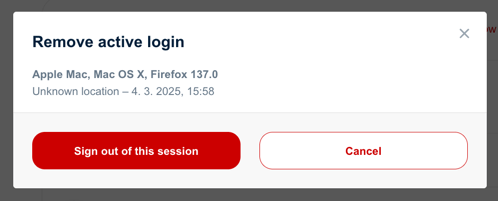
A confirmation prompt will appear. Select Sign out of this session or Sign out of this application.
To revoke all active sign-ins, click the Sign out everywhere link above the list of all sign-ins on the right.
You will also need to confirm this action.